
Today, many people and organizations are using Social Media to get their message out. If you are not using Social Media you are missing a an opportunity. The major Social networks are LinkedIn, Twitter ,Facebook tumblr, & WordPress. These networks have similarities in the sense they are designed for people to communicate. Below is how to get started on these platforms.
(I will discuss Instagram, Google+ YouTube & Pinterest in another installment.)
LinkedIn
LinkedIn is great for professional networking and publishing content through its publishing platform. Make sure to act professionally as if you are at work or a networking event. The platform is great to generate leads as well. How to get started.
The Basics
LinkedIn allows users to sign up for free. To get started you need to do the following.
1 Click on the join today tab.
2 Enter a first and last name.
3 Enter a valid email address.
4 Create a password.
Creating a profile
Once you have created a password you, will need to identify your geographic location and provide information about your employment status. LinkedIn asks you to provide your employment history along with your educational history. The amount of information you provide is up to you but the more relevant information you supply the better. This is because a complete LinkedIn profile shows up better in search results. The LinkedIn profile is the digital resume.
So what elements do I need to complete a profile?
1 Provide information on your current position. If you do not have a position, create one on your ideal career or position. There is no excuse to leave this blank if you are unemployed.
2 Provide information on your previous two positions.
3 Write a professional summary that provides information that describes past accomplishments along with what you can do for potential clients and employers. You should also describe what type of position or client you are seeking.
4 Upload a professional picture that will make your profile look more attractive.
5 Create a professional headline in 160 characters or less. If you leave this blank, LinkedIn populates this with your latest position. My advice is to create your own catchy headline to captivate readers to read your profile; unless you have a great position and have achieved your career goals. The professional headline provides you with an opportunity to quickly sell and market who you are and what you do.
6 Fill out the specialties section with keywords related to what you do. Your idea is to use keywords to optimize your LinkedIn profile to come up in searches on LinkedIn. Also fill out the skills section and interests section.
7 Connect with customers, colleagues, bosses and professors. To do this quickly, upload your address book from your email account into LinkedIn. LinkedIn will identify which members in your address book are already members. You can then decide which members you want to invite to join your network. LinkedIn is based on a network of first, second and third degree connections. First degree connections are direct connection. Second degree connections are a connection of a connection or a friend of a friend. Third degree connections are friends of second degree connections. You can connect with people by entering an email address for them, indicating that you share a group with them, stating that they are a colleague, stating that you have done business, together or by stating that you were classmates. Make sure not to abuse the contact form otherwise you will have to enter email addresses every time that you connect with someone. Inmails are a premium feature that allows you to contact people anyone on LinkedIn. This is good if you are not able to reach a person through traditional means. Basic accounts on LinkedIn also provide a feature called introductions. Basic accounts allow five introductions. This feature allows you ask one of your connections to connect you with one of your connections.
8 Get recommendations. Once you have first degree connections, you can ask them to recommend your work. To do this, click on the profile tab and click on the recommendations link in the drop down menu. This will allow you to choose the position you want to be recommended for. Once you have identified this position you then can send out a request to your connection for a recommendation. Recommendations are social proof and are a great way to boost your credibility online. LinkedIn requires three recommendations for your profile to be considered complete. For recommendations from non LinkedIn members, use the Slideshare plugins.
The Endorsement. Users can also list skills they have. Connections can endorse each others skills to show what talents they have by clicking on the particular skill.
9 Use the three profile links LinkedIn provides in the website section of your profile. I would include the following links, your website, your blog, your Facebook page, your YouTube channel and your Google plus page. The sites you choose are up to you. LinkedIn also provides users with two additional Links for Twitter accounts. In other words, LinkedIn provides you with up to five touch points to connect with people and to showcase your work. LinkedIn now allows users to publish articles using the long post form. This also a great way to share content.
10 Make sure to make your profile public. LinkedIn allows users to create a custom URL to make it easier for users to find them. I would make the address one that easily identifies you. My public profile URL is http://www.linkedin.com/in/dangalante .
These are the 10 steps to create a complete LinkedIn profile that will be optimized for search on LinkedIn. Also public profiles are indexed in search engines such as Bing, Google, and Yahoo. It is important to know that you can determine what activity that you share. You also have the option to hide your connections from your 1 Degree connections. The settings tab will allow you choose options.
Make sure to share content and status updates with your network to engage them. LinkedIn allows people to like and comment on posts. Status updates can be shared on Twitter, with groups and with individuals. Another thing that you can do to build your brand on LinkedIn is to join groups. LinkedIn allows members to join up to 50 groups. I would target industry groups or groups that match your interests. Groups are great places to facilitate discussions. I would also recommend creating a group. This is easy to do. I have provided a link to my sales and marketing group to give you an example. Groups are a great way to make connections and to share and start discussions. You can also post jobs in groups as well.
Companies can also take advantage of LinkedIn. LinkedIn allows companies to create pages. On these pages, companies can post jobs which are a premium feature. Recently, LinkedIn added the status update feature for company pages. This is great to provide updates about your company along with promoting your products and service. I have included a link to my company page as an example.
Twitter
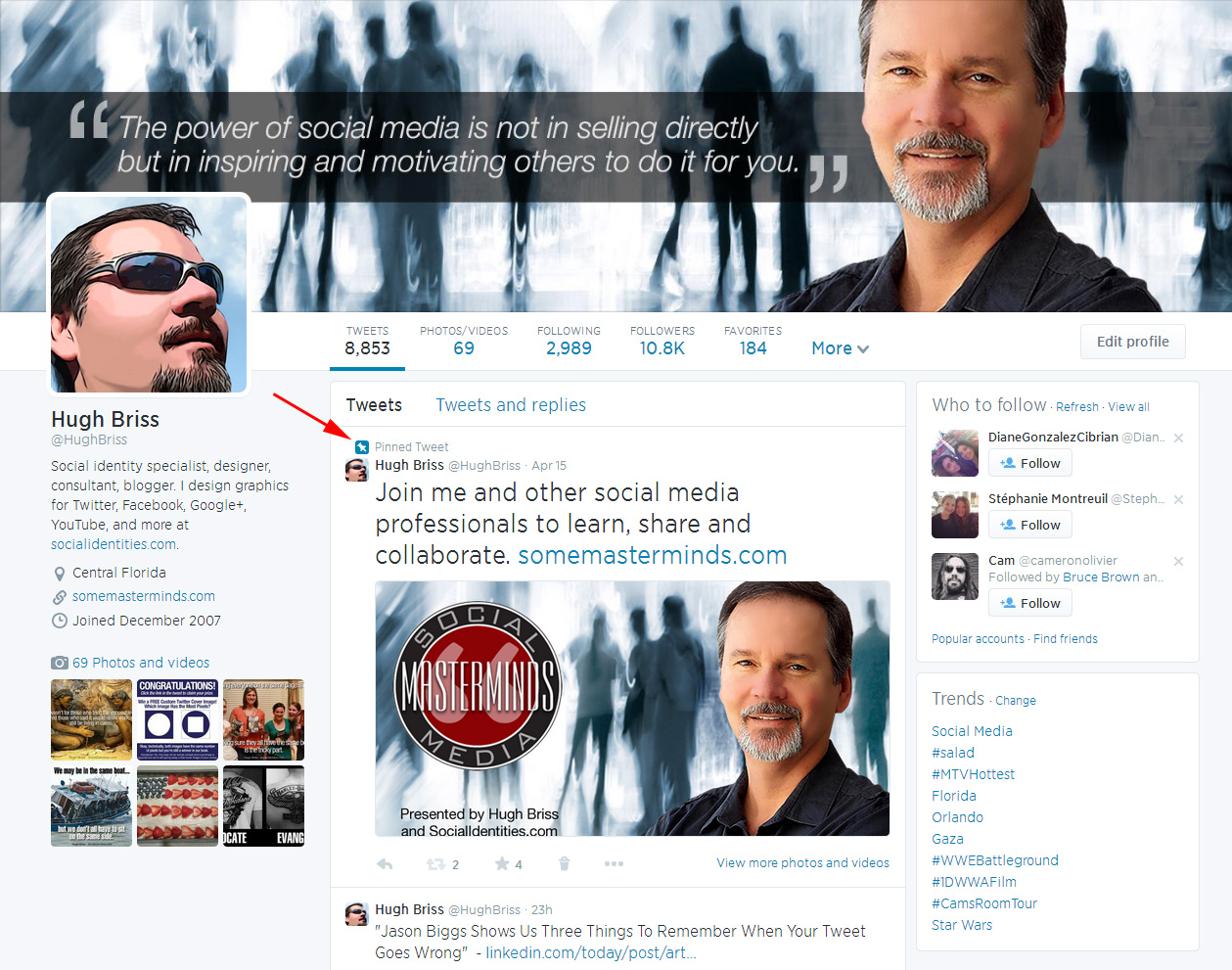
Twitter is a great social networking site for people and brands to spread ideas quickly. Twitter is also a great marketing tool for brands to promote products and services. Twitter has a few hundred million users worldwide. Getting started with Twitter is quick and easy. To get started using Twitter you need to do the following:
1 Click on the join link.
2 Provide your first and last name.
3 Provide a valid email address.
Once you join, you will need to choose a name for your account. I would recommend using your name or your business name. You can also choose a name that relates to what you do. I have two Twitter accounts @DanGalante and @TrendSettingSM. The former is my name and the latter is an abbreviation of my company name Trend Setting Sales and Marketing.
Now that you have an account, you should fill in the bio section. Twitter gives you 160 characters to describe yourself. I would suggest using the space to briefly sell who you are and what you do. Make sure to leave space to include a link to your website or blog. Although Twitter provides a place for a web link, two links are better than one.
The next step is to upload a photo of you. Make sure that the photo that you choose is professional and clearly visible to members. Remember, this is your image that you are sharing. Twitter provides users with an option of uploading a custom background. To do this, click on the settings button and click design. Here you can upload a picture from your computer or view different Twitter backgrounds.
Now you are ready to tweet. However before you start tweeting away, you need know the following:
1 Tweets are limited to 140 characters. At first, this may seem annoying, but this is a great exercise for your creativity.
2 Make sure you have something of value to say, nothing will turn people off faster than nonsense.
3 Make sure to share articles and content that you create in your Tweets by including links. Doing this will help you gain followers. Twitter also allows you to share videos and photos in tweets. This can be a great way to share experiences, ideas and to promote a business or a brand.
4 Do not be afraid to make a mistake. Twitter provides a delete button with an icon that is a trash can. This is great if you make a typographical error.
5 Make sure to change-up your message. No one likes the same message over and over.
6 Leave 10 to 20 characters for your tweets to be retweeted.
Once you start tweeting, your goals are to:
1 Get other users to share your content.
2 Build a following
3 Follow other users who interest you.
The Retweet and The Mention
When a Twitter user shares a message from another user, this is called a Retweet. Retweets are sought after because the more your content is shared, the higher your influence is perceived.
Mentions are when a Twitter user references or quotes you in on of their tweets. Some users may use this instead of simply retweeting because a mention shows up quicker than a retweet does in a users timeline.
Retweets and mentions show up in the interactions and mentions section of the Twitter account.
The Direct Message or DM
The Direct Message or DM as it is referred to, allows Twitter users to send messages to other users. I waited to mention this feature until now because Twitter only allows users to send messages to users who follow them. This is a great way to send a private message to users on the site.
Sharing Tweets with More than Just Twitter Followers
In order for users to share tweets with more than a their followers, users need to use hash-tags. Hash-tags are a number bracket next to a word. For example, #business is a hash-tag. Hash-tags create an index of information on a specific topic. A hash-tag reaches more people than a regular tweet or just getting a few retweets. Hash-tags are a great way for users to earn new followers. Follow Friday (better known as #FF or #FollowFriday on Twitter), is a way for Twitter users to promote other users they like. Job searchers also use #hire #hireme or #hirefriday to try to get their resume in front of potential employers.
Integrating Twitter with other Social Networks
Various third-party applications exist that allow users to share their Tweets on Facebook, a website and a blog. Users will need to click on the application settings tab to do this. LinkedIn allows you to share your updates to Twitter by clicking the Twitter box but you can no longer share Twitter up. This can be set up in the accounts section.Twitter members will have to authorize these applications on . I have included a link to my website to show you how I integrate twitter with my site. http://www.dangalante.com/. (You will need to log in to see my tweets on LinkedIn and Facebook.) Integrating Twitter with other social networks can give users a larger reach than using Twitter alone. Users will also get more followers from Facebook and LinkedIn. This has worked for me.
As you can see, Twitter is a great way for people and brands to share ideas quickly. Brands can influence a large audience all around the world.
This is how people and brands can use Twitter.
Facebook
Facebook is the largest social networking site in the world. Facebook has over a billion users worldwide. Almost everyone is on Facebook. From teenagers to baby boomers, people from all walks of life are using Facebook. In this post, I am going to discuss the basics of personal branding on Facebook.
To sign up for an individual account you need to do the following:
1 Provide your first and last name.
2 Enter a valid email twice.
3 Create a password
4 Provide your date of birth to verify your age.
To get started, you need to fill out the basic information section which includes the following information: your birthday, your sex, your relationship status and if you prefer men or women.
The next step is to fill out your contact information. In this section, you can include links to your websites, blogs, and other social networks.
Facebook also allows you to share your education and work experience. This is a great way to make your profile professional. To tell your story, make sure to fill out Facebook’s about you section. This is a great place to tell your story. You can sell who you are and what you do.
You can also create a timeline to tell your story. This is a new feature on Facebook. Make sure to upload a professional photo of yourself. Facebook also allows you to create photo albums. Make sure to upload photos that contain nothing embarrassing such as drinking or nudity. Remember you are trying to build your image here. Here is the link to my Facebook profile for you to see an example of what I have discussed so far. http://facebook.com/dgalantenyc Facebook allows you to pick a custom URL to make it easier to find your profile.
You can also create a timeline to tell your story. This is a new feature on Facebook. Make sure to upload a professional photo of yourself. Facebook also allows you to create photo albums. Make sure to upload photos that contain nothing embarrassing such as drinking or nudity. Remember you are trying to build your image here. Here is the link to my Facebook profile for you to see an example of what I have discussed so far. http://facebook.com/dgalantenyc Facebook allows you to pick a custom URL to make it easier to find your profile.
Now that your profile is set up, your next goal is to add friends to your Facebook account. You can do this as follows:
1 Do a manual search for your friends.
2 Upload your address book to see which of your contacts are on Facebook
3 Send email invitations to people who are not on Facebook.
When you find a contacts profile, click on the add friend button. When you click the add friend button. Facebook allows you to specify how you are connected with the person. I would also include a message with your friend request. Try to connect with people who you know well because if too many of your requests go unanswered, you will be blocked from adding friends. Also if people flag your request as spam, you will be blocked from sending messages. If you want to add more people, make sure that you share an interest with them. You can also subscribe to people’s updates even if you are not friends with them.
Now that you have friends on Facebook, the next step is to post status updates. I would recommend posting interesting content you come across. This is also a great way to share your own content. Next, I would use your Facebook wall. The Facebook wall allows people to publicly communicate on Facebook with one another. Also if you approve of a status update or comment, you can like them. Likes on Facebook serve as a social endorsement. You can look at my profile to see examples of my likes and people who have liked my content. http://www.facebook.com/dgalantenyc .
Facebook Pages
Facebook pages are also a great way for people and brands to promote their products and services.
Facebook has greatly increased the kinds of pages that people and brands can create. Currently there are six types of pages. These pages include: a Local Business or place page, a Company page, a Brand or Product page, an Artist, Fan or Public Figures page, an Entertainment page and a Causes or Community page. Each of these pages has their own benefits. However in this post, I am going to focus on the public figure and the Company pages; using my public figure and company pages as an example.
The first thing that you need to do before setting up a Facebook business page is to set up a Facebook account. Once you create an account you need to do the following:
The first thing that you need to do before setting up a Facebook business page is to set up a Facebook account. Once you create an account you need to do the following:
1 Log in to your account
2 Scroll to the bottom of the page and find the create a page link
3 Once you click on the link, a page will come up that will list all six types of Facebook pages. (For this post we will focus on the Public Figure and Company pages.)
4 Choose the type of page you would like which in our case is the Public Figure and Company pages.
5 Once you choose the type of page you would like, you will be asked to select the category your page falls into.
6 The next step will be to name your page. For the public figure page use your name or your band’s name if you have one. Use your company name for your company page. I started with a public figure page and added a company page later.
7 Agree to Facebook’s terms and click the get started button.
Getting Started
I will start by discussing how to set up a public figure page. The first thing you will need to do is to fill in the basic information section of the public figure page. The basic information section asks for the following:
1 The category of the page, the type of person you are public figure, journalist etc…
2 Your name
3 Your Address (This is optional for public figure and company pages)
4 Your affiliation
5 Your date of birth
6 An about headline which is similar to the headline feature on LinkedIn except you need to provide the content, where LinkedIn will let you use your job title and company as a default. I would use this space to briefly sell who you are and what you do. You should be brief.
7 Use the biography section to expand on the headline. This is the place to describe yourself, your credentials and what you have to offer potential customers.
8 There is a section for awards, gender, personal information, personal interests, phone number and websites. I definitely would make use of the personal interests, and websites section to make your page come alive.
Setting Up Your Pages Visibility
The next thing that you need to is to decide who will see your page. Facebook allows you to decide what countries are allowed to view your pages. You can get access to this setting by clicking the permissions tab. Depending on your content, you can set an age restriction. Facebook also allows you to decide the following: if you want people to tag you in photos and videos, if you want people to write and post content on your wall and if you want to block certain people from posting on your wall. Facebook also lets you block profanity from being posted on your wall. I recommend that you allow people to tag your photos and post comments on content you post. Also, I recommend that you allow others to share content on your wall. I recommend this because this will give you the opportunity to engage with your fans. Once you reach 25 likes, Facebook allows you to set a custom URL to your pages. I recommend doing this because it will be easier for people to find your page and it will be easier for search engines to index your page. Here is my custom URL. http://www.facebook.com/djgalante
I picked one name that was my name and one that is a shortened version of my name . You should pick names related to yourself and/or your business so people will find your page quickly and easily.
Facebook also allows you to use insights to see who is talking about your page and who likes your page. Also make sure to upload a professional photo of yourself.
Another thing you can do is to choose an administrator for your page. I would recommend doing this yourself unless you have a professional moderator for your page because the administrator will have full access to your page. You can also post your tweets to Facebook using the Twitter plug-in the under the resources tab.
Getting Likes
Once your pages are complete, you want to get people to like your page. For a long time Facebook likes have been Facebook’s social currency. Likes symbolize social approval from friends and fans. In order to get likes, you should do the following:
1 Provide compelling content that engages Fans. (I share my blog posts with my fans.) Encourage them to share their stories using your product and services. This could be done through wall posts or videos
2 Promote your page by inviting your Facebook friends and sending email invitations to people who are not directly connected with you.
3 Use Facebook ads to get people to like and interact with your page. (I will discuss this at a later time)
4 Post content from your Facebook page. (Facebook allows users to switch between their personal accounts and their Facebook page.)
Remember that this takes work and it is an ongoing process.
The company page on Facebook is similar to the Public figure page. The Company page is good to promote your business if you have employees. It is also good if you want to promote your company as a brand. If you are a in a band or working by yourself, I would use the public figure page. I use both pages because I am looking to get customers and I would like to grow my idea into a large business. The difference with the Company page is that you will not have to provide a date of birth. However, you will have to provide a company description instead of a personal description. (About me) Also you can provide a mission statement and describe your offerings in the products box. These are the key differences between the pages.
Promoting your Facebook page on other Social Networks and other Platforms
1 Share your Facebook page on LinkedIn, Twitter and Google plus by sharing your pages URL on these sites; inviting your connections/followers to join you.
2 Include a link to your Facebook page in your email signature
3 Include Facebook plugins on your website and blog
4 Include your Facebook page on any printed materials that you give customers and prospects
5 Include your page in any TV, Radio or print advertisements that you engage in.
This is how to successfully build and promote a public figure and company page on Facebook.
WordPress & tumblr
Writing a blog is great way to share your ideas and market your expertise in an area. I began blogging back in November 2011. Blogging had connected me with so many great people around the globe. I began publishing on the WordPress platform. Recently, I began cross publishing my blog on Tumblr. In this post, I am going to discuss how to set up your blog on WordPress and Tumblr.
WordPress
The first thing that you need to do is to register on the site. You will have the option to create either a wordpress.com address or a custom domain name. I suggest that you pick a custom domain name because your blog will come up better in search results. WordPress gives you a choice of web suffixes to choose from, for example .com, .me etc. I chose the address http://dangalante.me. If you decide to change the address after you set up the blog that is ok. The wordpress.com address will automatically be directed to your new address. It is important to note that you will have to buy the domain name if you want your own. Hosting is inexpensive and should cost about $25 per year at most depending on the name you choose. The investment is well worth it because this will give your blog its own brand identity.
Once you register, you will see WordPress’s default theme. Click on the appearance tab and browse the free and premium themes that are available. You can then choose the one that you would like to install.
Now you are ready to write a post.
To do this click, on the new post tab. A window will pop up. Here you will find tools to write and edit your post. When you are ready to post, just click publish and you are ready to go.
tumblr
Like WordPress, you will have to register on tumblr to set up your blog. I have provided the link to the registration page. If you land on the home page, just click on the sign up button.
Once you have signed up, you will be prompted to create a web address. You will notice that the only address you could create is a tumblr.com address. Tumblr does not support or partner with site hosting companies. In other words, you will need to find a third party host on your own. I purchased a domain name from Yola.com . The name I purchased is http://askdangalante.com . Once I secured the name, I had to point the address to the Tumblr servers. (Tumblr provides the specific address and exactly what CNAME or A-Records need to be changed. Here is the link. You will know if this is correct if your address redirects to Tumblr and it say page not found.
You can test your domain address in the box under your Tumblr address in the blog settings. Your address will not link to the site right away. It took 24 hours; although it can take up to 72.
Now you can click on the customized theme and browse through the free and premium themes. Pick a theme and now you are ready to post. To post, click on the text tab which is located underneath the Dashboard tab. You will see a window where you can copy, paste, write and edit your posts. When you are done, just click the publish button.
As you can see, both WordPress & Tumblr are user friendly. All you have to do is start writing! My decision to start writing has been the best decision I have made. I wish I had started earlier!
This is how to get started in a nutshell.
Image by http://www.nao.org.uk/graduateblog





 Sales, Marketing & Social Media Today